RAW photo editor · Windows, macOS, and Android
See. Shape.
Share.
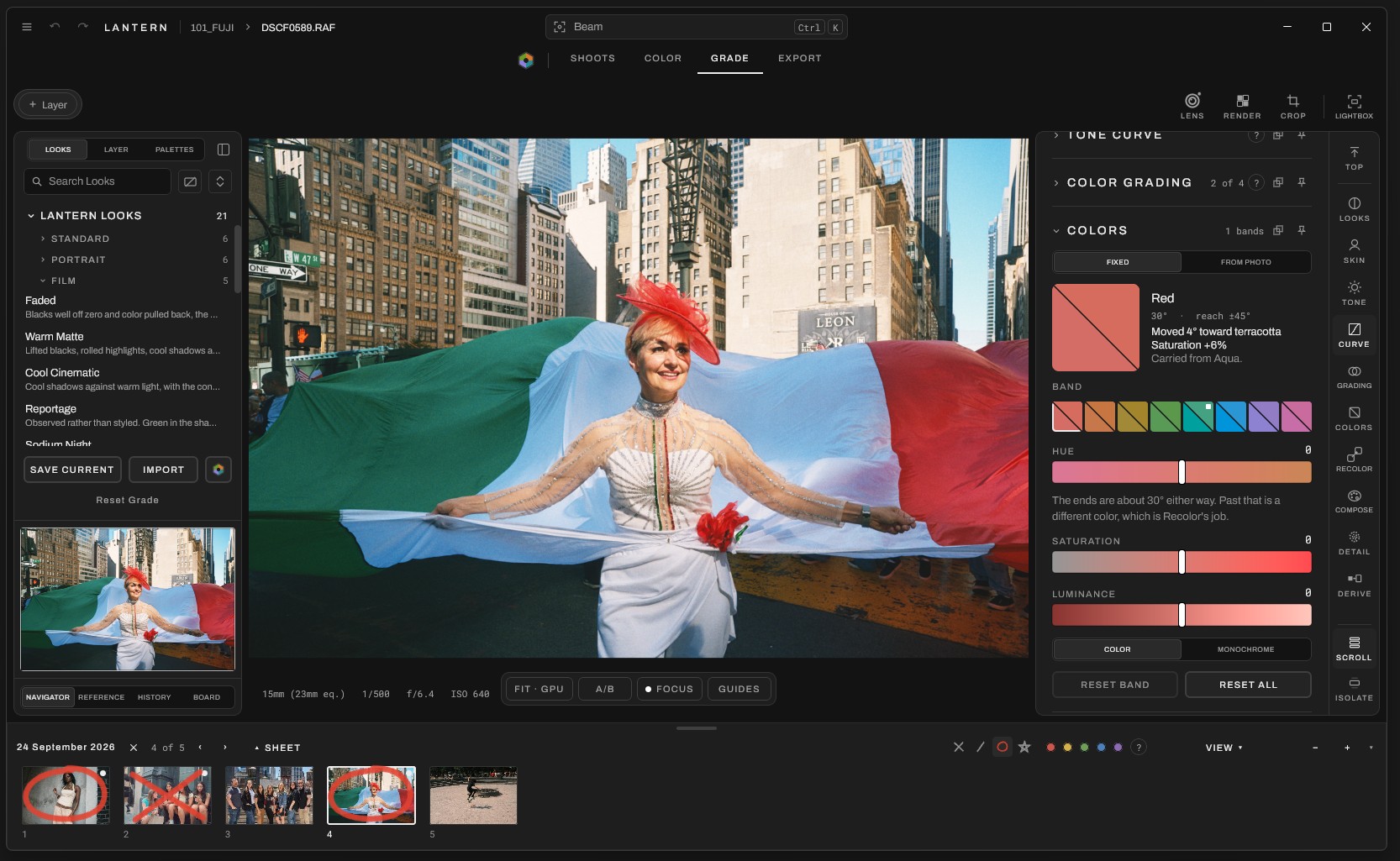
Lantern shows you how color lives in your photos, then gives you powerful, intuitive tools to edit them. Editing should be an experience, not a chore.
See
Read and understand color.
Let Lantern lay out the main hues in your photo, their relationships, where they sit on the color wheel, and what the light is doing. Every reading comes with plain language, so it teaches as much as it measures.
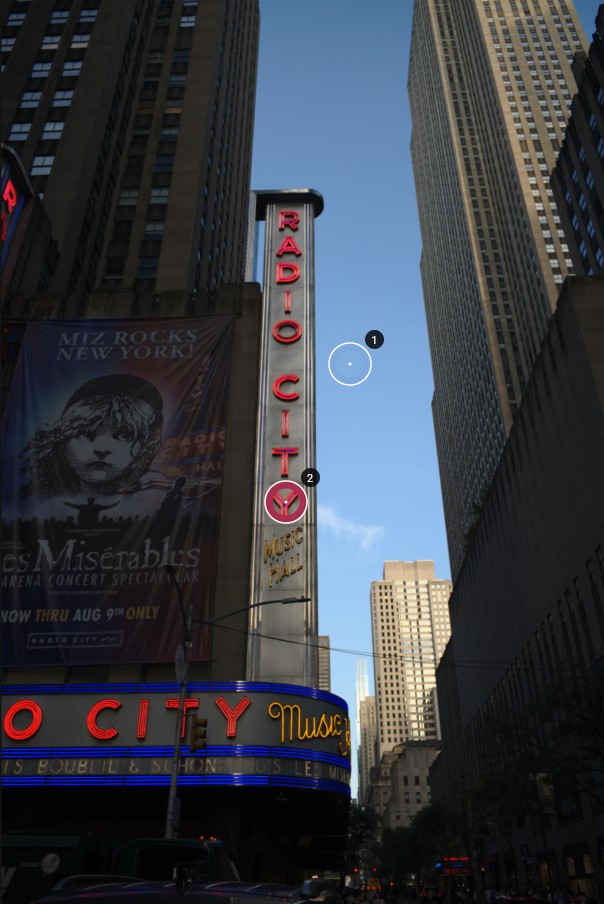
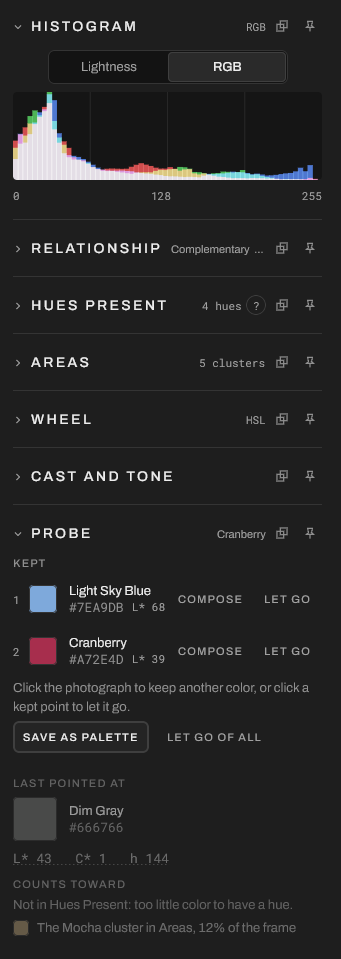
- ProbeClick anywhere to keep a color, named and measured. Light Sky Blue · #7EA9DB · L* 68 Cranberry · #A72E4D · L* 39
- RelationshipNames the color scheme holding your frame together, whether it's complementary, analogous, triadic, or something else.
- Hues and areasSee which hues make up your photo, and how much of the image each color takes up.
- Save as paletteSave the colors you find as a palette for your edits, your mood boards, or sharing instantly with the Lantern community.
Shape
Looks you can see into.
Start from your original shot, a Lantern Look, or an authentic film model, then explore. Every Look is made of ordinary adjustments that you can see and recreate. Easily tone elements down, push them further, or change them entirely.
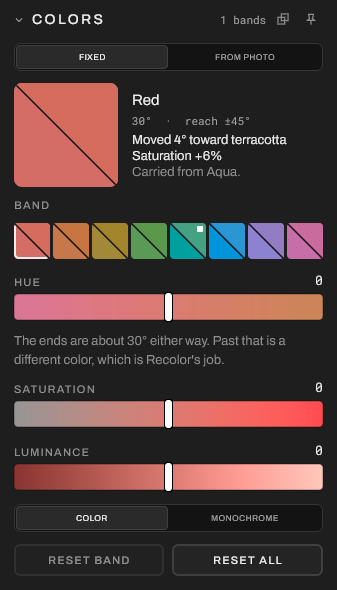
Every move, in words
Red 30° · reach ±45°
Moved 4° toward terracotta.
Saturation +6%.
Carried from Aqua.
Lantern tells you what each adjustment does to your image in language that's easy for beginners to understand, and valuable to professionals. An adjustment never happens in a vacuum: open any band, and you can see what has changed and why.
Film models
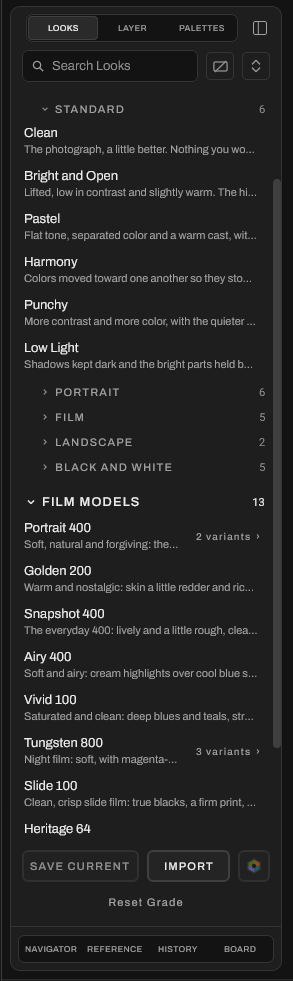
Each one is built on a model of how real film responds to light, not a stack of preset adjustments. Use any of the thirteen as they are, from Portrait 400 to Heritage 64, or build on them.
Lantern Looks
Twenty-one Looks across standard, portrait, film, landscape, and black and white, from Clean to Pastel. Lantern adds new Looks with updates, and you can create your own and share them in the Lantern Lab.
Protect Skin Tones
Keep skin looking like skin, even on your most adventurous of edits. Your human subjects stay true while the scene changes around them.
Share
Bring other people into the Look.
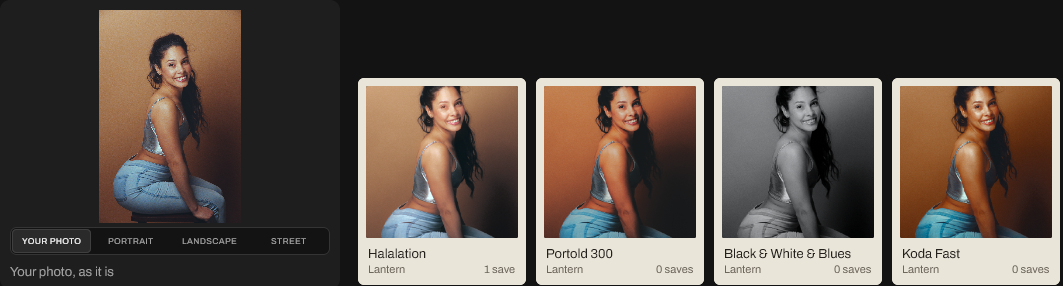
The Lantern Lab is where the community shares Looks, palettes, and more. Browse Looks you can preview on your own photo or a set of samples, see what's popular this week and what Lantern has learned you like, and build around the color of the week.
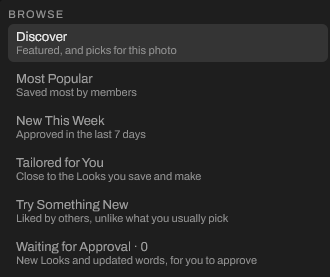
For This Photo
The Lab reads the photo you have open and suggests Looks that suit it, the same way Lantern reads color everywhere else.

Color of the week
A shared color to build around, with its harmonies ready to drop into Compose or onto a board. Vote on next week's.
Tailored for You
Lantern learns from the Looks you save and make, and suggests more like them.
Try Something New
Looks other people love that aren't what you usually pick.
Boards
Build the look together.
Boards are shared mood boards for every shoot. Drop in references, palettes, notes, and Looks tried on your own photos, then invite your team to edit with you, all at once.
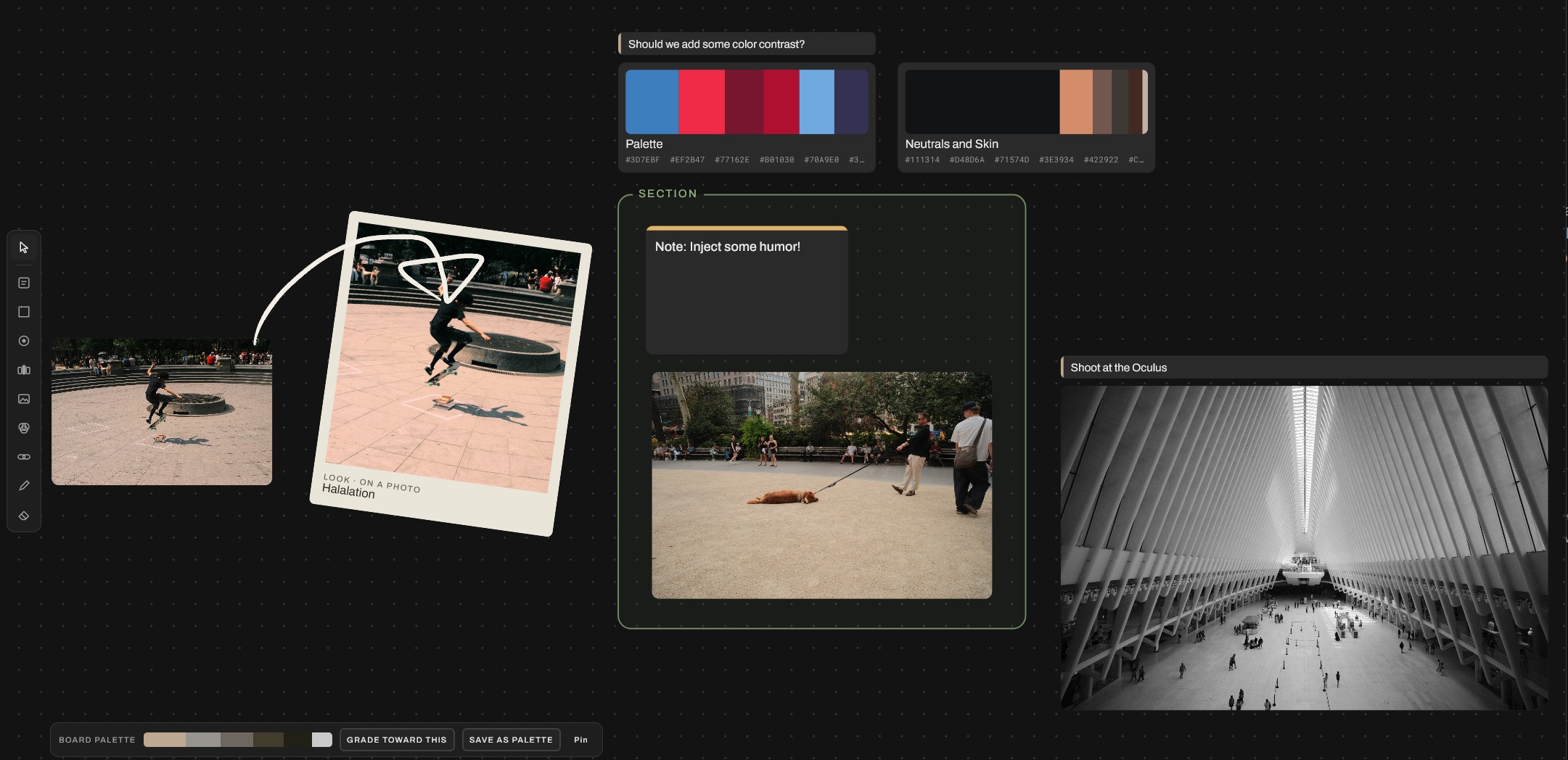
Edit together, live
Everyone on a board can add, move, and mark up at the same time. You see each other's changes as they happen.
One board for the whole team
Shared boards show up in everyone's Lantern, so the photographer, the stylist, and the client all work from the same plan.
Grade toward the board
Lantern pulls a palette from everything on the board. Save it, or grade your photos toward it in one step.
Shoots
From the first cull to the client.
Rolls keep your photographs where they already are, along with your work on them. Mark your picks right on the film strip, lay out contact sheets, and send the finished work wherever it needs to go.
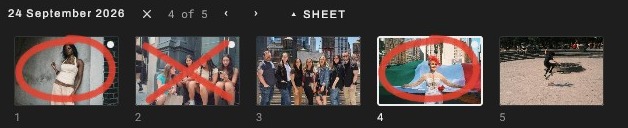
Rolls, not imports
Open a folder and start working. Your photos stay where they are, and your edits and marks stay with them.
Contact sheets
Lay out a roll as a contact sheet, marks and all, and export it as a numbered PDF for clients.
Export anywhere
S-Log3 · F-Log · V-Log · C-Log3 · N-Log · LogC3
Camera log LUTs for video, and share cards with your palette.
Cull like a contact sheet, with grease pencil marks that stay with the photo.
Beam
Go to anything.
Press Ctrl K (⌘ K on a Mac) and type what you want. Beam jumps to any tool, roll, or Look, and lets you adjust a slider right in the result. Try it here.
Questions
Before you join.
What Lantern runs on, how the beta works, and what happens to your photos.
| Minimum | Recommended | |
|---|---|---|
| Windows | Windows 10, 64-bit | Windows 11 |
| macOS | macOS 12 Monterey on Apple silicon (M1 or newer). Intel Macs aren't supported yet. | The latest macOS |
| Graphics | Any graphics with current drivers, including integrated | A dedicated graphics card or Apple silicon |
| Memory | 8 GB | 16 GB or more for high-resolution RAW files |
| Android | Android 8.0 | Android 12 or later, 8 GB of memory |
What does the beta cost?
Nothing. Beta testers use Lantern free while we build it with them.
How do invites work?
Request an invite below. We bring testers in small groups so we can listen closely. When it's your turn, you'll get an email with a download link and a key made for you.
Which cameras does it support?
Lantern opens RAW files from most cameras, including Sony, Fujifilm, Canon, Nikon, and more, plus JPEG, PNG, and TIFF.
Will Lantern change my original files?
Never. Your photos stay where they are. Lantern keeps your edits and marks in its own files and never moves, copies, or overwrites the originals.
Can I use it with my other editors?
Yes. Edit In sends a photo to another app and brings the result back into your roll. You can also export LUTs for your camera and video work.
Is there an iPhone version?
Not yet. Lantern runs on Windows, macOS, and Android today. An iPhone and iPad version is planned.
Can I share my beta copy?
Please don't. Each beta build is tied to its tester and expires after a while, when a newer build replaces it.
How do I send feedback?
Email info@lantern.photo. Every message is read by the person who builds the app.
Private beta
Lantern is made by a photographer, for photographers who want to understand their edits, not just apply them.
Designed and built by Derek Nelson, with testers who shoot every week. Join the beta and help shape what it becomes.
You're on the list.
We'll email you when a beta spot opens up.